> ## Documentation Index
> Fetch the complete documentation index at: https://daysheets.com/docs/llms.txt
> Use this file to discover all available pages before exploring further.
# Sharing Travel Profiles
> Getting Started with Daysheets
Daysheets allows you to create a travel profile through the mobile app, and share information with admins on your tour. \
\
If your team has requested your travel profile, follow the steps below to share. To learn more about we protect your sensitive information, you can check out [this](https://help.daysheets.com/articles/692951-how-daysheets-protects-your-data) post.
**Step 1: Check for the travel profile request**\
\
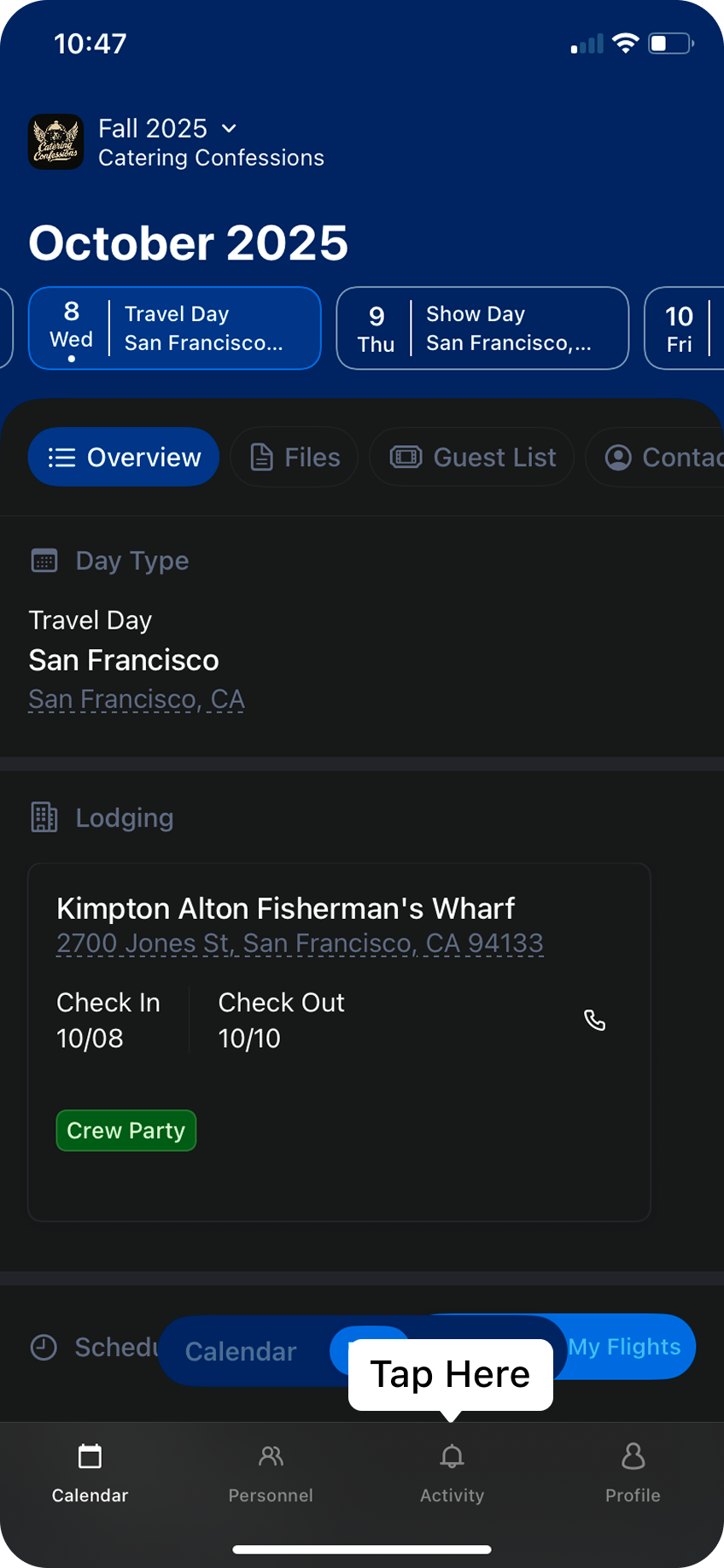
In the bottom menu click the activity tab. and look for the travel profile request in the list of notifications. If you don’t see the request, and were expecting one, try quitting the app and re-opening. If you still don’t see the request, check with your administrator to ensure they sent a request.
 **Step 2: Review the travel profile request**\
\
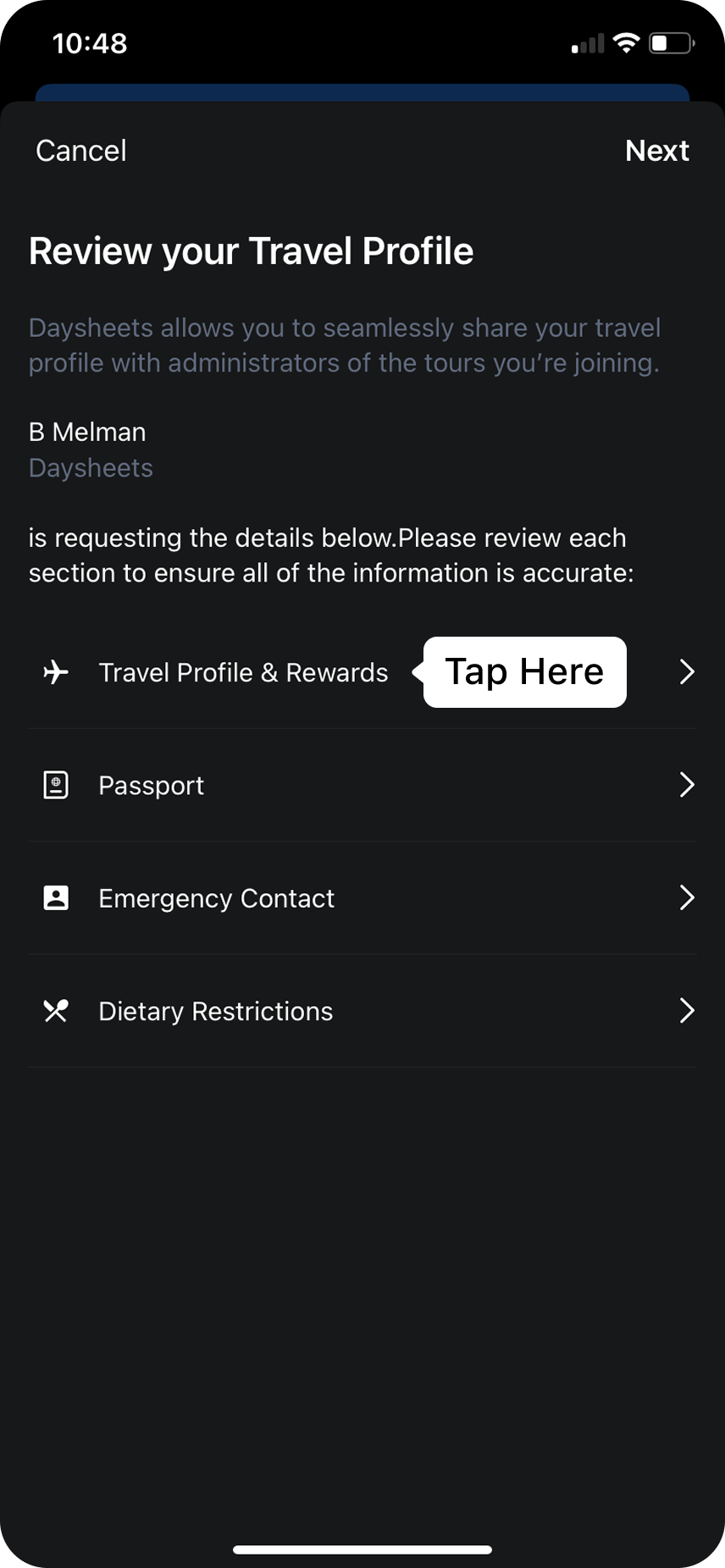
Click on the request to start review the details the tour is requesting from your travel profile. If you tap in on any of the fields, Daysheets will allow you to enter missing information, which will store to your travel profile.
**Step 2: Review the travel profile request**\
\
Click on the request to start review the details the tour is requesting from your travel profile. If you tap in on any of the fields, Daysheets will allow you to enter missing information, which will store to your travel profile.
 **Step 3: Approve and Share your profile**\
\
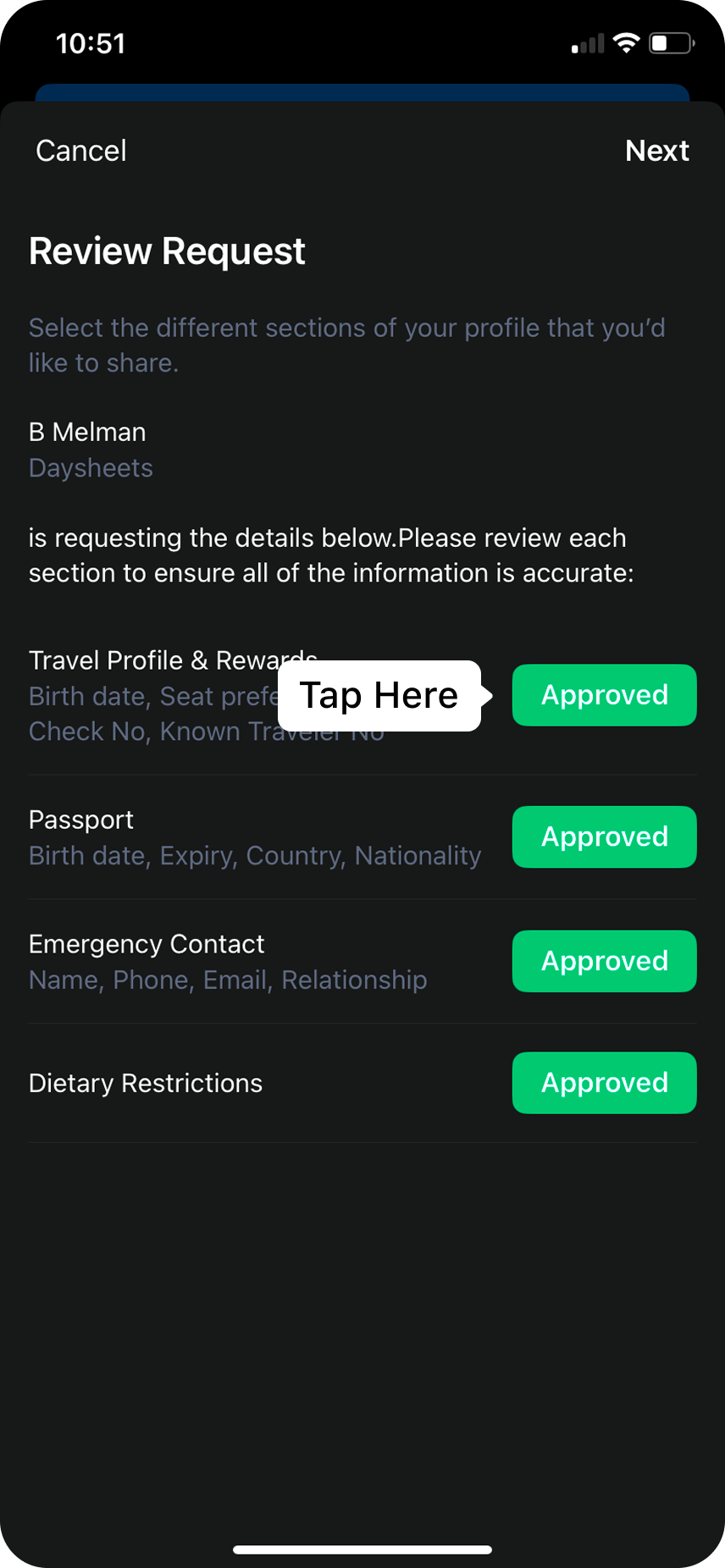
After filling out and updating the information in your profile, approve each of section of your profile that you want to share with the tour, and then click `Next`.
**Step 3: Approve and Share your profile**\
\
After filling out and updating the information in your profile, approve each of section of your profile that you want to share with the tour, and then click `Next`.
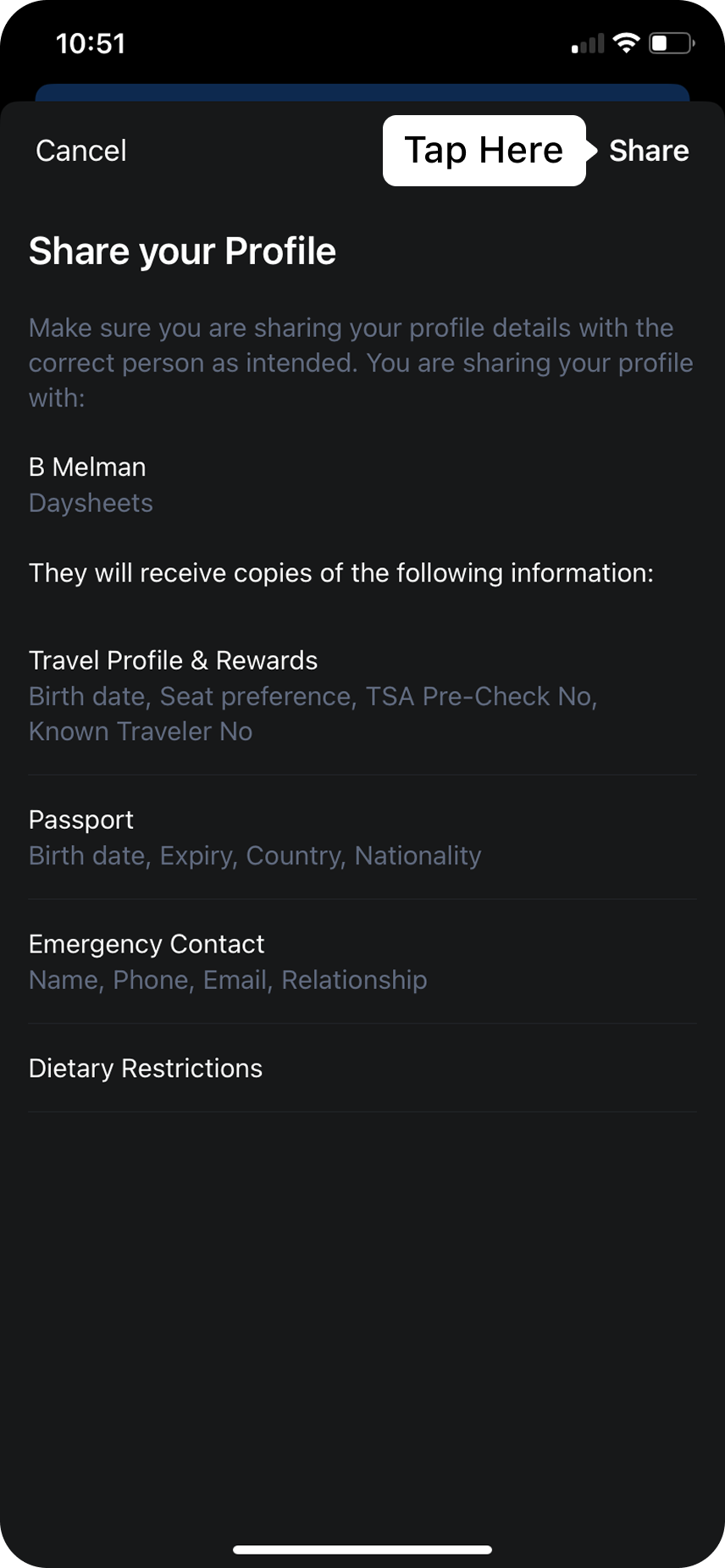
 Lastly, review the details that are about to be shared with your tour’s administration, and tap `Share` when you are ready.
 ## **Open Communication**
Your trust is our top priority, so if you have any concerns or questions about how we manage and protect your data, we are is here to help. You can reach us through the following channels:
* Chat with us at [www.daysheets.com](http://www.daysheets.com)[ ](https://www.daysheets.com/)
* Email us at [help@daysheets.com ](mailto:help@daysheets.com)
* Call us at 610-608-1173
## **Open Communication**
Your trust is our top priority, so if you have any concerns or questions about how we manage and protect your data, we are is here to help. You can reach us through the following channels:
* Chat with us at [www.daysheets.com](http://www.daysheets.com)[ ](https://www.daysheets.com/)
* Email us at [help@daysheets.com ](mailto:help@daysheets.com)
* Call us at 610-608-1173