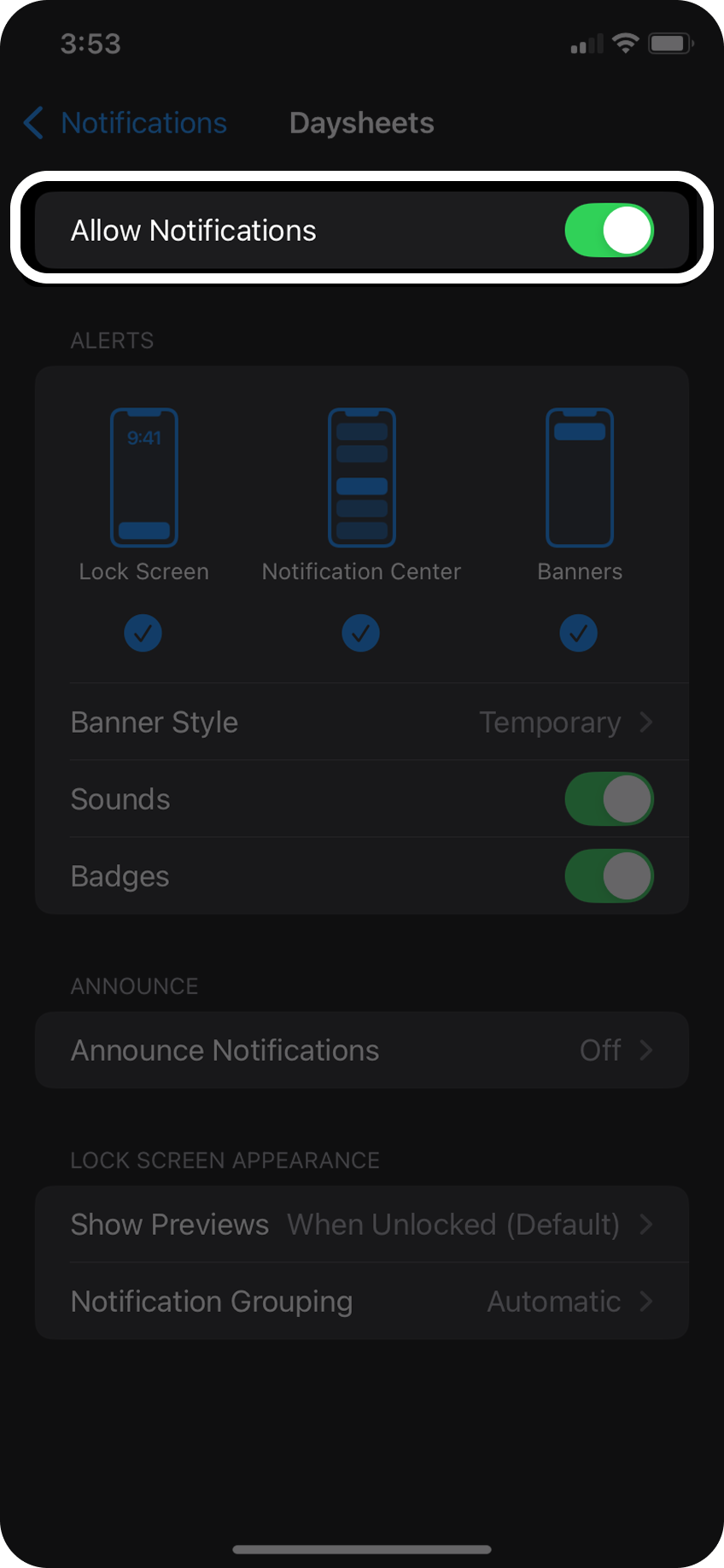
When you initially download Daysheets, you will be prompted to “Allow Push Notifications?”. By selecting Yes, you will be opted into your tours push notifications.
If you’re an existing Daysheets user, and unsure about the ability to receive push notifications, follow the steps below:
Step 1:
Open your mobile app’s settings and look for
Open your mobile app’s settings and look for
Notifications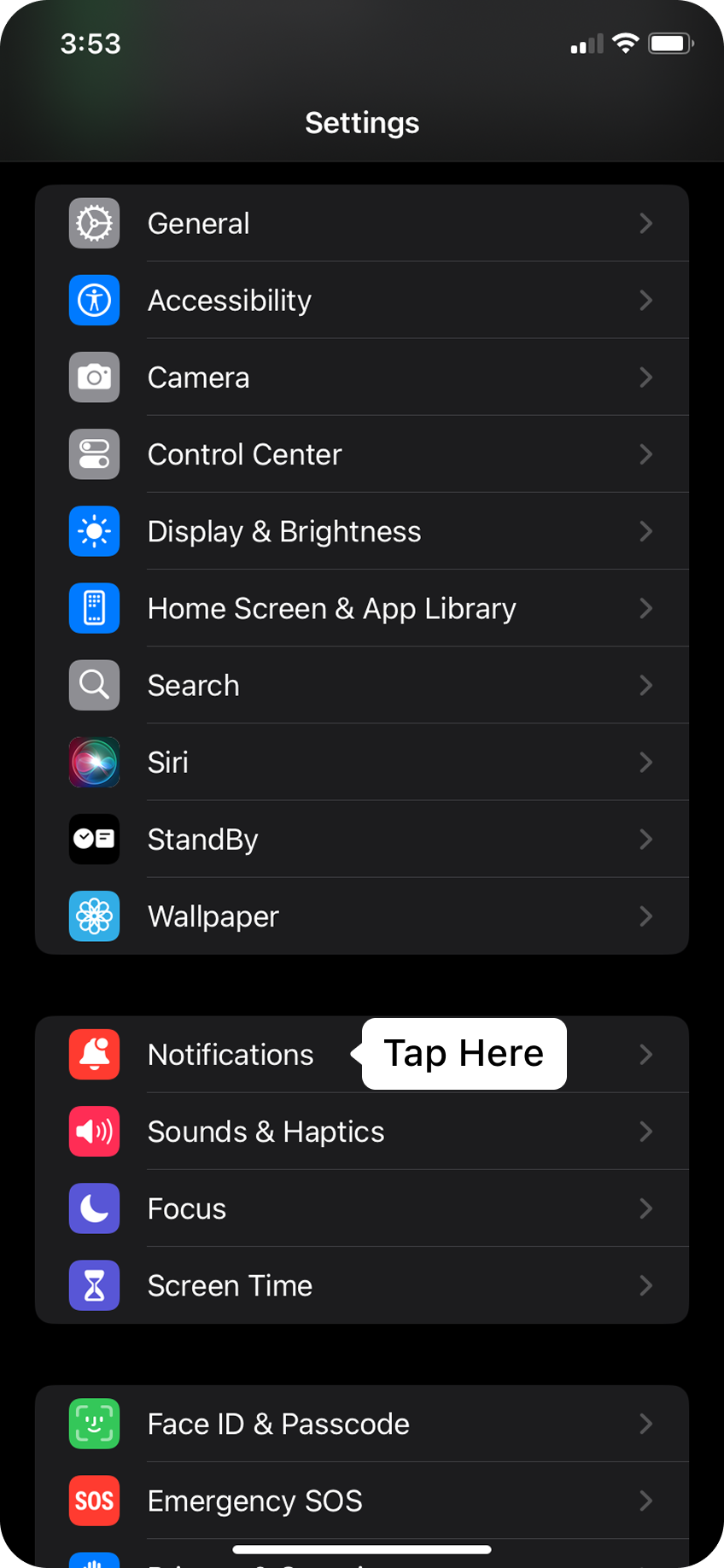
Step 2:
Scroll down until you find Daysheets, select the app and ensure
Scroll down until you find Daysheets, select the app and ensure
Allow Notifications is toggled on