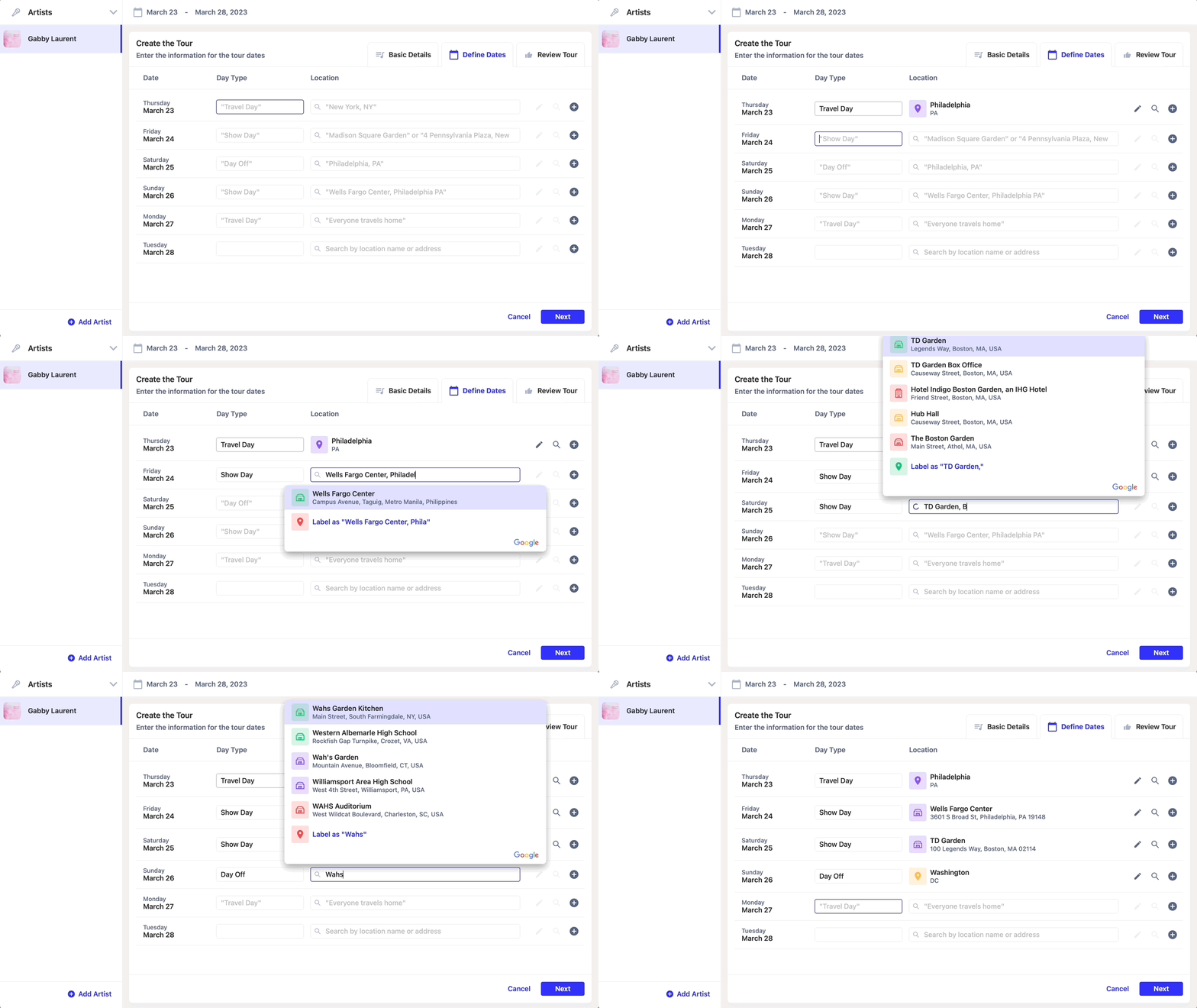
Creating a tour
Daysheets makes it quick and painless to setup your tour. Follow the guide below and you’ll be a Daysheets pro in no time.Setting up the tour
- To get started, download the latest version of Daysheets for MacOS by clicking here.
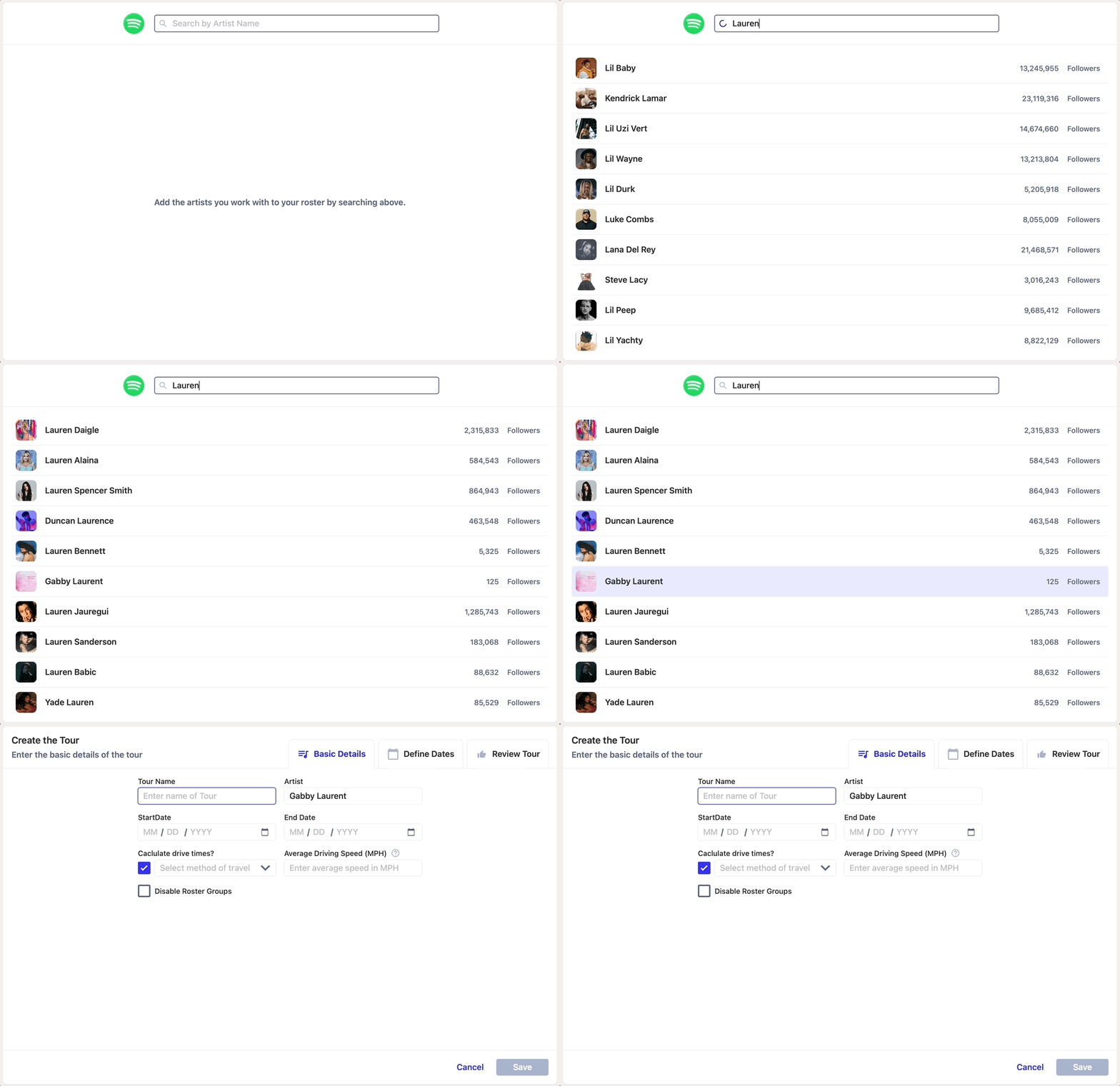
- To add an artist to your roster, use the Spotify search bar.
- Once added, you’ll move to the first step of the tour builder.
- Then, enter the name of the run, start date, end date, and your travel method.
- T and TAB = Travel Day
- S and TAB = Show Day
- D and TAB = Day Off
- R and TAB = Rehearsals