
Keeping Large Teams Organized for Concert Touring
Managing 50+ person concert crew requires departmental organization. Learn how tour & production teams keep large production teams organized across lighting, audio, video, and staging departments.

By Chris Hodge
Biz Dev
How Do You Organize Large Concert Crews?
Managing a large touring crew gets complicated fast.
On arena and stadium tours, you’re coordinating:
- Lighting technicians
- Video engineers
- Audio crew
- Riggers
- Wardrobe
- Catering
- Security
- And many more…
Each department has different call times, responsibilities, and technical needs. Sending the same update to 100+ people when only one department needs it creates noise — and noise leads to missed details.
Professional tour managers and production managers solve this on site through departmental organization.
But digitally, that structure often breaks down.
How Large Concert Productions Stay Organized On Site
Large concert productions operate using departmental structure within unified tour groups.
Crews are divided into departments such as Lighting and Audio. Two-way radios operate on separate channels. Lighting can discuss programming without interrupting audio coordinating IEM frequencies. There’s an all-call channel for show time and major announcements, but technical communication stays departmental.
On site, this works extremely well.
The challenge is replicating that clarity when distributing itineraries, schedules, and daily updates.
Why Legacy Tour Organization Methods Break Down
PDF Day Sheets
Traditional day sheets (PDFs or printed versions) have long been the backbone of concert tour communication.
But:
- Large shows often have too many events for a single clean page
- Updates require resending entire documents
- Crew members must scroll to find their specific call time
- Last-minute changes rely on text blasts or WhatsApp threads
For modern arena productions, static PDFs are still valuable, and you learn more about how to export a Day Sheet out of Daysheets, but some times a PDF just isn’t flexible enough.
Spreadsheets (Excel Tabs by Department)
Many tour managers use Excel to track departments with separate tabs:
- Lighting tab
- Audio tab
- Video tab
This can work for planning, but real-time updates are difficult.
If doors push from 6pm to 7pm, you’re updating multiple sheets and manually notifying multiple groups. At scale, spreadsheet-based concert production management becomes fragile and time-consuming.
Master Tour & Calendar Feeds
Apps like Eventric Master Tour provide powerful scheduling functionality and have been widely adopted in touring.
However, on large productions, schedules can become cluttered due to limited departmental filtering and granular visibility control.
Calendar feeds (iCal, Google Calendar, etc.) have similar issues:
- Everyone sees everything
- Feeds become overloaded
- Crew members scroll endlessly to find their specific detail
What works for a 30-person club tour often breaks down at 100+ crew on an arena or stadium production.
The missing layer is structured departmental organization within unified groups.
Large-scale touring requires:
- One unified C Party
- With departmental granularity
- Without fragmenting the roster into separate disconnected groups
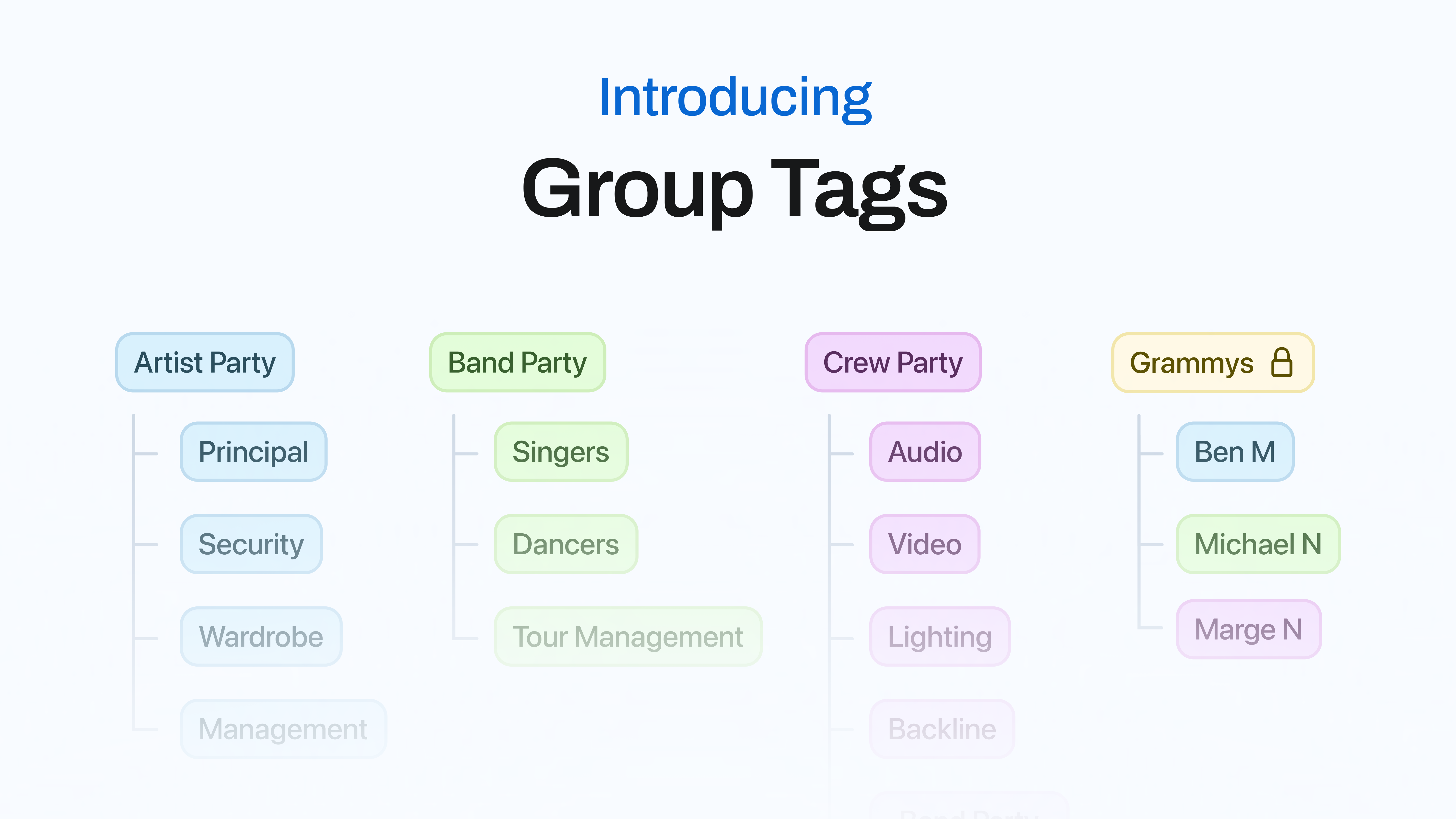
This is where Group Tags come in.
How Daysheets Group Tags Solve Large Tour Organization
Daysheets allows you to create departmental tags inside unified tour groups.
Your C Party stays intact. Everyone still sees:
- Load-in
- Show time
- Bus calls
- Tour-wide announcements
But you can also create department-specific events:
- “Lighting Focus”
- “Video Programming”
- “Audio RF Coordination”
Lighting sees lighting events highlighted.
Audio sees audio events highlighted.
Other departments can filter out what doesn’t apply to them.
You control visibility at the event level.
It mirrors how radio channels function on site — but applied to digital scheduling and itinerary distribution.
Learn more about how to setup basic group tags here.
Advanced Group Tags Across Multiple Tour Parties
Large tours also require cross-party coordination.
Example: An acoustic in-store performance.
You tag:
- Artist (A Party)
- Security
- Guitar tech (Backline)
- Tour manager
Create events tagged “Acoustic Group.”
Only those individuals see those events emphasized in their schedule.
No separate spreadsheets.
No duplicate day sheets.
No fragmented communication threads.
The Bottom Line
As tours scale from club level to arena and stadium productions, organization becomes exponentially more complex.
PDF day sheets, spreadsheets, and even legacy tour management software like Master Tour can struggle with large-scale departmental clarity.
Modern tour management software must replicate how productions actually operate:
- Unified groups
- Departmental precision
- Controlled visibility
- Real-time flexibility
Daysheets built Group Tags specifically to handle large concert crews without creating noise.
If you’re managing 100+ crew members across multiple departments, structured organization isn’t optional — it’s essential.
—