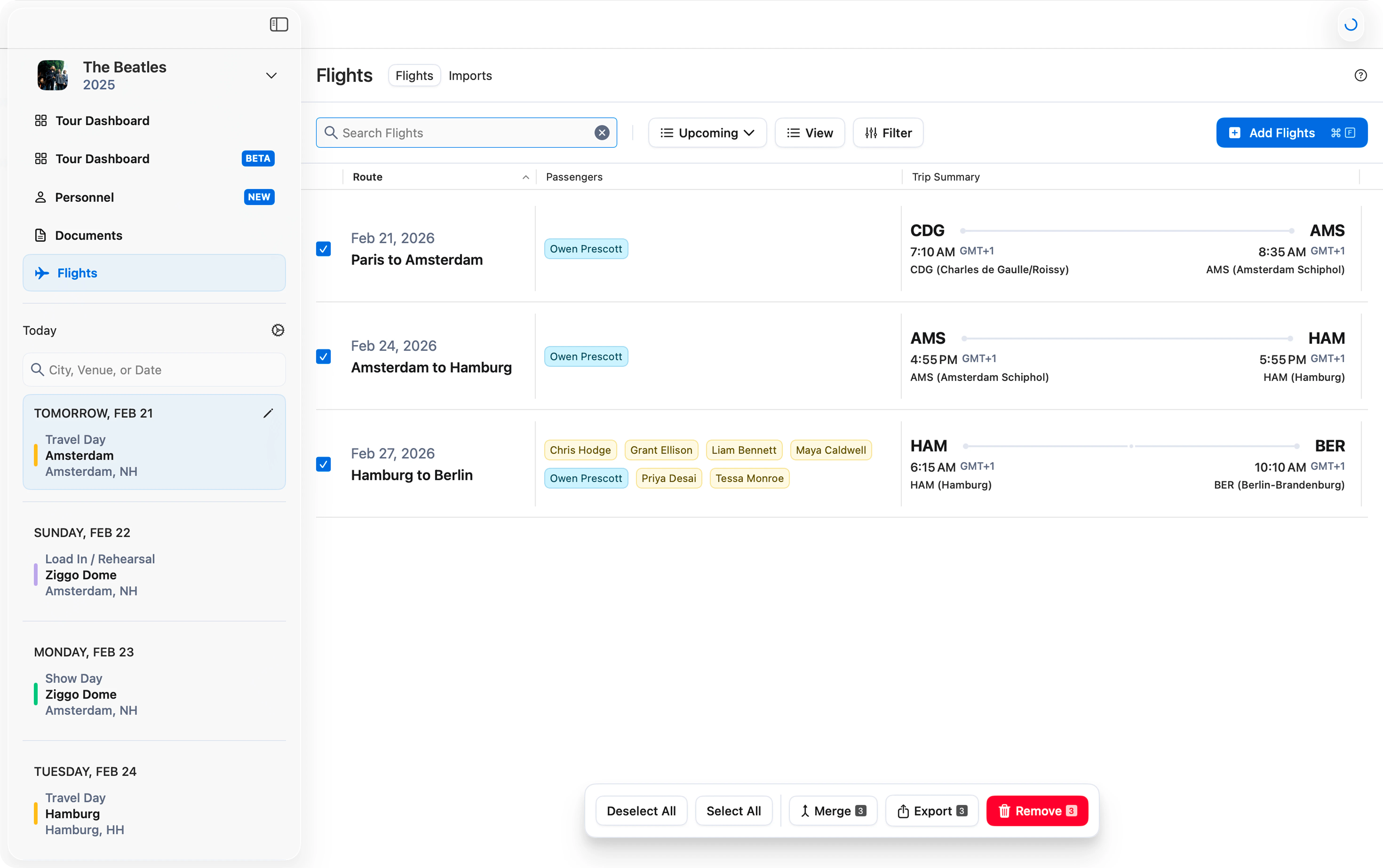
Customize the Export
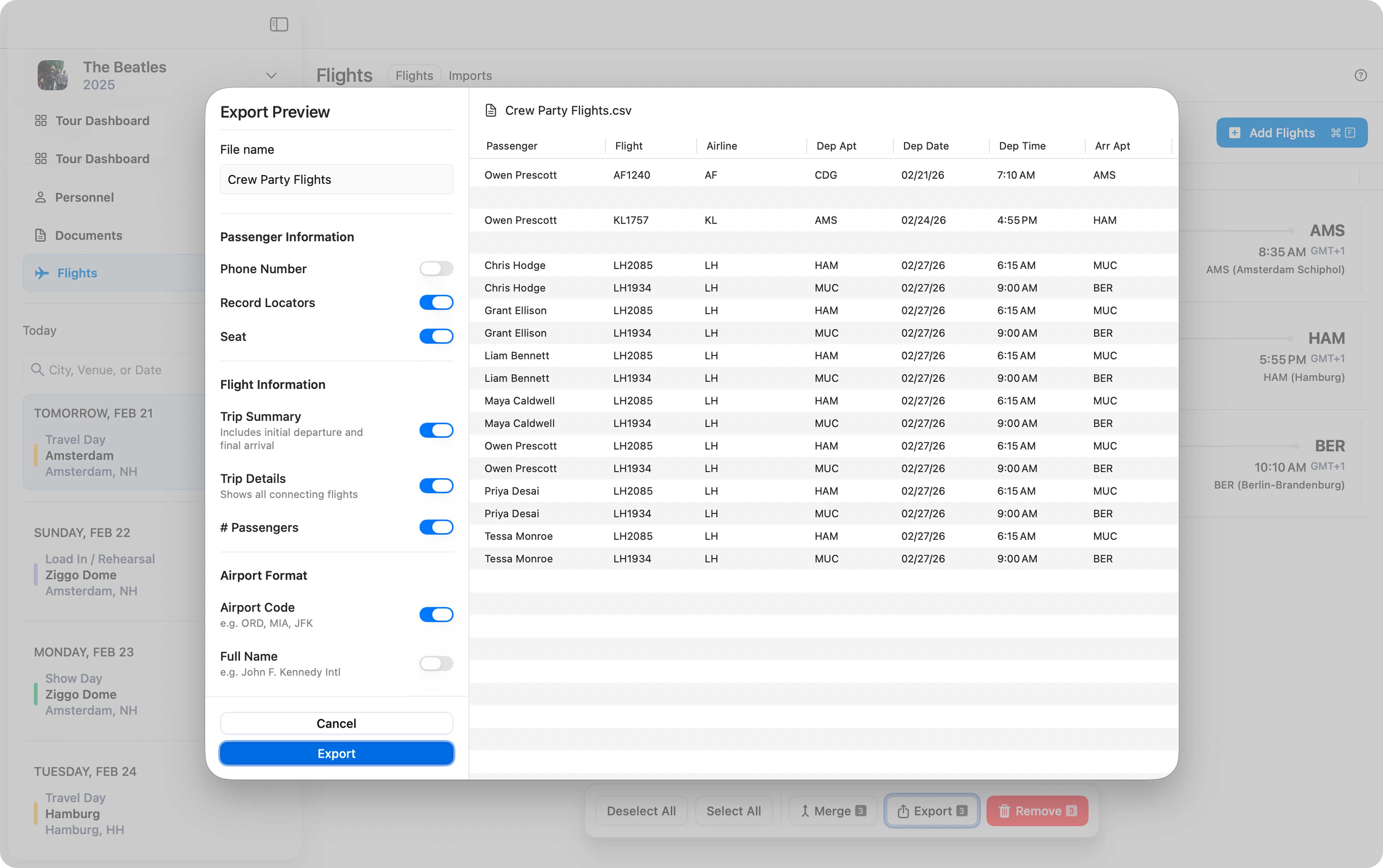
The export window that appears allows you to preview and choose exactly what information is included in the final export. In the top left corner, choose a name for the file. Below this, you can toggle on and off specific Passenger Information, Flight Information, and Airport Format. See all of your changes reflected in the preview window to the right. Once you are satisfied with your selections, click Export and choose where you would like the CSV to be saved on your computer.